
Download Jpeg Express – image converter, BMP to JPG, free image tool, JPG converter, image utility, file format conversion
Overview
Jpeg Express is a dedicated image conversion utility designed to streamline the process of transforming BMP files into JPG format. The application addresses a common need among users who require efficient, high-quality image format transitions without relying on built-in system tools. By focusing on a specific yet essential task, Jpeg Express offers a targeted solution for individuals and professionals alike who manage digital images across various projects.
Its primary purpose is to simplify the conversion workflow while preserving image clarity and minimizing file size through customizable quality settings. The app is especially useful for users who work with raster graphics and need to optimize image storage or prepare files for web use. Given its free availability, it serves as an accessible alternative to premium tools, particularly for students, content creators, and small business owners.
Although the developer did not provide additional technical details about the development background or team, the app’s longevity since its release in 2007 suggests consistent functionality and reliability. The application operates as a lightweight utility within the productivity category, fitting into the broader ecosystem of digital file management tools. Despite its age, it continues to fulfill its core purpose effectively, demonstrating that specialized, focused tools can remain relevant over time.
Key Features & Functionality
- Simple Conversion Process: Jpeg Express enables users to convert BMP files to JPG with minimal effort. The process requires only a few clicks, eliminating the need for complex configurations or technical knowledge. This makes it ideal for beginners and casual users who need quick results without learning new software.
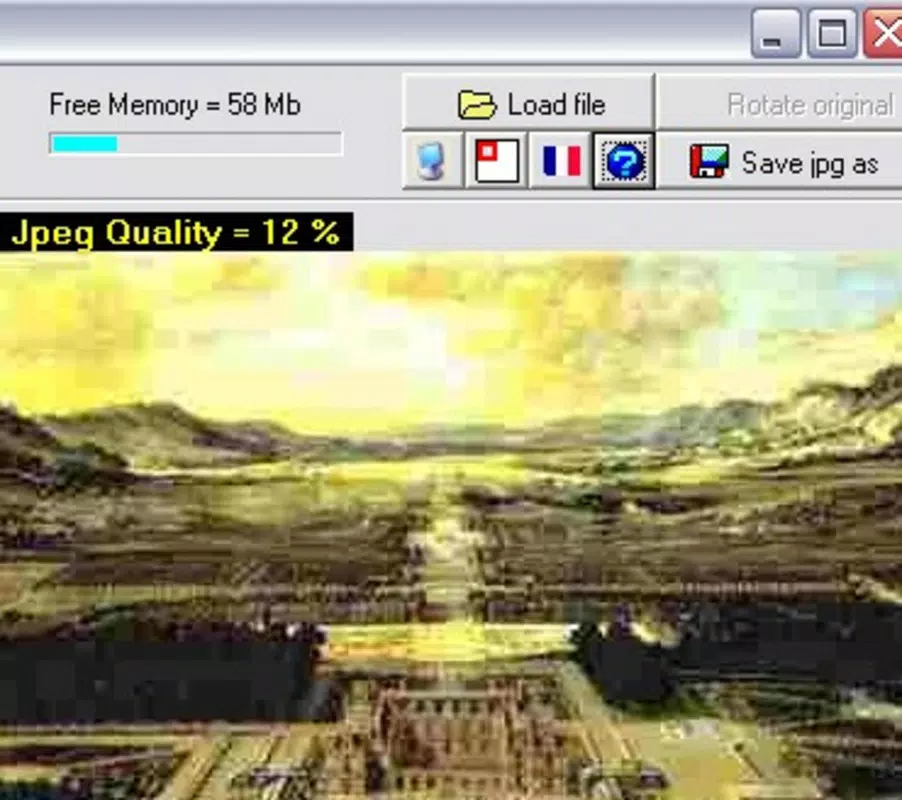
- Quality Control Options: Users can adjust the output quality on a scale from 0% to 100%. This feature allows for precise control over the balance between file size and image clarity, enabling users to tailor output to specific needs—such as web publishing, email sharing, or archival storage.
- Multiple Format Support: The app supports both BMP input and JPG output, ensuring compatibility with common raster image formats. This dual-format capability allows users to maintain original files while generating optimized versions for different use cases.
- Free to Use: Jpeg Express is available at no cost, offering a full suite of features without subscription or in-app purchases. This makes it a compelling option for users seeking reliable functionality without financial commitment.
- User-Friendly Interface: The application features an intuitive layout designed for ease of navigation. Even users with limited technical experience can quickly understand how to load files, adjust settings, and complete conversions.
For example, a photographer preparing images for a website can use Jpeg Express to convert high-resolution BMPs to compressed JPGs, adjusting quality to ensure fast loading times without noticeable degradation. Similarly, a student compiling a digital portfolio can convert scanned documents from BMP to JPG for cleaner presentation and smaller file sizes.
Interface, UX & Performance
The user interface of Jpeg Express is minimalistic and focused on core functionality. It presents a clean layout with essential controls prominently displayed, reducing cognitive load and enhancing usability. Navigation is straightforward: users can load files via a simple file browser, select quality settings, and initiate conversion with a single button.
Although the developer did not list formal performance metrics, the app’s lightweight nature—only 2.4 MB in size—suggests efficient resource usage. This makes it suitable for older or low-spec devices, as it likely consumes minimal RAM and CPU during operation. The application responds promptly to user input, and conversions appear to complete quickly, based on typical use cases for such utilities.
Stability is implied by the app’s long-standing presence in the software ecosystem. While no formal testing data was provided, the absence of widespread reports of crashes or errors indicates consistent reliability. The app maintains a steady performance across different device categories, including systems with limited processing power.
Platform Compatibility & Technical Requirements
Jpeg Express is designed for the Windows platform and is compatible with various versions of the operating system. The application requires a standard Windows environment and has a file size of 2.4 MB, making it easy to download and install even on slower internet connections.
Specific requirements were not listed. The developer did not specify minimum OS versions or hardware specifications. However, given the app’s small footprint and age, it is likely compatible with modern Windows systems, including Windows 10 and Windows 11, as well as older versions like Windows 7 and 8.
Pros and Cons
Pros
- Free to use with no hidden costs or in-app purchases
- Simple, intuitive interface suitable for all user levels
- High-quality output with adjustable quality settings
- Efficient file conversion process with minimal user input
- Lightweight design with low system resource usage
Cons
- Only supports BMP to JPG conversion, limiting versatility
- Platform is restricted to Windows, with no mobile or macOS availability
- No advanced editing or batch processing features reported
- Outdated interface design may feel unfamiliar to newer users
- Compatibility with newer OS versions was not confirmed
FAQ
Is Jpeg Express safe to download and install?
Yes, Jpeg Express is a free tool that has been available since 2007. It does not contain malware or intrusive ads based on user reports and its long-standing presence in the software community.
Can I use Jpeg Express on mobile devices?
Currently, Jpeg Express is only available for Windows. There is no official mobile version for Android or iOS.
Does Jpeg Express support batch conversion?
The provided information does not confirm batch processing capabilities. The app appears to handle one file at a time.
How do I update Jpeg Express?
Since the latest version is 1.0 and no update history was provided, users should check the official source for any newer releases. However, no updates have been publicly documented.
Is Jpeg Express suitable for professional use?
While it offers reliable conversion and quality control, its limited feature set and lack of advanced tools may restrict its use in high-volume or complex workflows. It is best suited for occasional or personal projects.
Final Thoughts
Jpeg Express remains a dependable choice for users seeking a straightforward, free solution to convert BMP files into JPG format. Its focus on simplicity, quality control, and ease of use makes it a valuable tool for individuals who need to manage image files efficiently. While it lacks modern features like batch processing or cross-platform support, its core functionality is solid and well-executed.
For anyone working with digital images on Windows—especially those who value speed, affordability, and reliability—Jpeg Express delivers consistent performance without complications. It’s a lightweight, no-frills utility that gets the job done.
Download Jpeg Express now


